Reddit’s travel forums are full of a very specific kind of anxiety: watching an AirTag tucked into checked luggage ping from a warehouse the airline insists doesn’t exist. The dot on the map sits in a facility no agent will confirm, moves an inch, then goes still for two days. Travelers report “finding” a bag this way — only to spend 16-plus days chasing it down, including a personal trip back to the airport to physically retrieve it.
The stakes are simple. A tracker that costs a reported roughly $29 (confirm current pricing) feels like cheap insurance for a $1,000 suitcase. But an AirTag — unlike a cellular GPS tracker — only works because a nearby stranger’s iPhone happens to relay its location to Apple’s network. That means it can go dark in exactly the situations travelers worry about most: a foreign baggage room, a rural connection hub, a budget carrier’s outsourced handling facility.
The quick answer: for domestic trips or anything routed through major hubs, an AirTag or Tile is genuinely enough. It’s cheap, the battery lasts about a year, and high iPhone density in those environments means frequent location updates. For international itineraries with multiple connections, budget carriers, or destinations with low iPhone penetration, a real cellular GPS tracker — the GEGO, SpaceHawk, or LandAirSea class of device — is worth a reported roughly $60 to $90-plus in hardware plus a subscription (confirm current pricing), because it doesn’t depend on strangers’ phones to report in.
Travelers who already track every flight leg with a frequent-flyer tracking app tend to be the same people who want the bag tracked too — and the packing itself is worth sorting out beforehand with a AI packing list app so the tracker isn’t the only thing organized about the trip.
AirTag vs Cellular GPS Tracker: The Real Difference (It’s Not Just Price)
The comparison isn’t really about price. It’s about what technology sits inside the device.
An AirTag or Tile is a Bluetooth beacon. It has no cellular chip and no SIM card. It cannot call home on its own. Instead, it broadcasts a short-range Bluetooth signal, and any nearby iPhone (for AirTag, via Apple’s Find My network) or Tile-app-enabled phone picks up that signal and relays the location to the cloud.
A cellular GPS tracker works differently. It carries its own SIM and reports over 4G/LTE independent of who’s standing nearby. It doesn’t need a passerby with the right app installed — it talks directly to a cell tower.
That distinction explains the scary scenario travelers keep describing: an AirTag showing “no movement” for days in a low-traffic or foreign facility, even though the bag itself is fine. The tag isn’t broken. There simply wasn’t a paired phone walking past it.
The trade-off runs the other way on cost and convenience. Bluetooth trackers are cheap, need no subscription, and run on a replaceable coin-cell battery lasting roughly a year. Cellular trackers cost more upfront, typically require a monthly or annual subscription, and burn through battery faster because they’re pinging a cell network constantly rather than waiting passively for a phone to walk by. Marketing copy and “best luggage tracker” listicles routinely blur this distinction, presenting both categories as functionally interchangeable. They aren’t.
Comparison Table: AirTag/Bluetooth vs Cellular GPS Trackers
| Factor | AirTag / Bluetooth Trackers | Cellular GPS Trackers |
|---|---|---|
| Reported price | About $29 for AirTag, similar for Tile (confirm current pricing) | Reported about $60–$90-plus for hardware (confirm current pricing) |
| Subscription? | None required | Usually yes — monthly or annual plan |
| How it locates | Crowd-sourced: relies on nearby Apple/Tile-app phones | Independent: reports via its own SIM/cellular connection |
| Works in low-density/foreign hub? | Weak — needs a nearby paired phone to update | Strong — reports regardless of foot traffic, contingent on local cell coverage |
| Battery life | About 1 year, user-replaceable coin cell | Days to a few weeks typically, shorter due to constant pinging |
| Real-time? | Intermittent, dependent on nearby devices | Closer to continuous, dependent on signal |
| Checked-bag legal? | Yes, with restrictions (see below) | Generally yes, but battery size varies — check the specific model |
| Best-fit trip | Domestic, major-hub, single connection | International, multi-connection, remote/low-density destination |
A footnote worth taking seriously: “works everywhere” for a cellular tracker still depends on the destination having usable cell coverage. A remote hub with no signal defeats a cellular tracker just as thoroughly as low iPhone density defeats an AirTag — the failure mode is different, but it’s not zero.
Are AirTags (and Bluetooth Trackers) Even Allowed in Checked Luggage?
Yes, under current rules. An AirTag’s CR2032 coin cell contains a reported roughly 0.109 grams of lithium — well under the FAA’s 2-gram-per-battery lithium-metal limit for devices carried in checked baggage (verify current FAA PackSafe guidance before flying, since these figures should be confirmed against the live source rather than taken as permanent).
That limit is what matters for a device installed and running inside a bag. Loose, spare CR2032 batteries are a separate case — those are carry-on only, with terminals protected against short-circuiting.
No major airline currently bans AirTags outright. Lufthansa briefly restricted them in October 2022, citing concerns that a tracker left “on” inside checked baggage could be mistaken for a tracking device planted without the owner’s knowledge — a policy the airline reversed within days after backlash. The rule that stuck across the industry: keep the AirTag installed and functioning, don’t pack a loose spare battery.
Cellular GPS trackers use larger lithium batteries in some models, and the watt-hour rating varies by device. Travelers picking a cellular tracker should check the specific product’s battery specs against current FAA and TSA rules, and against their airline’s own policy — especially on international or budget carriers, where enforcement and stated policy don’t always match. Airline-specific rules can change without much notice, so a check of TSA.gov and FAA PackSafe before departure is worth the two minutes.
When an AirTag Goes Dark: The Low-Density Problem
This is the core issue with Bluetooth trackers, and it’s rarely explained clearly in marketing material.
An AirTag or Tile update requires a nearby device — an iPhone for AirTag, a Tile-app phone for Tile — with Bluetooth and location services on, physically close enough to relay the signal. No nearby device means no update, regardless of how urgently the bag needs finding.
Phone ecosystem share varies enormously by country, and that variance is the whole problem. Global Android share sits at a reported roughly 70%, with iOS around 30% (figures to confirm via StatCounter, since they shift by month and region). Latin America skews far more heavily Android — a reported roughly 86% in some markets. Japan runs the opposite direction, with iPhone reportedly holding around 67% share, an outlier among major economies.
Real accounts back this up. One traveler described an AirTag working reliably only an estimated 5% of the time across a trip through Eastern Europe — not because the tag failed, but because there weren’t enough iPhones nearby to relay it. A commenter discussing tracking in Mexico put the local ratio at roughly ten Android phones for every iPhone, which meant long stretches with no update at all. Another traveler reported a bag showing “Terminal 1, Frankfurt” and motionless for two full days before it suddenly moved — not because the bag sat still that whole time, but because no paired phone walked close enough to refresh the location in between.
The pattern holds: foreign baggage rooms and rural connection hubs tend to be both low-iPhone-density and high-mishandling-risk at the same time. That’s the worst-case combination for a Bluetooth tracker — the exact situation where a traveler most wants reliable data is the situation where the data is least reliable. The tag isn’t defective. The surrounding phone density is the variable, and it’s a property of the destination, not the device.
Does Showing the Airline Your AirTag Location Actually Get Your Bag Back Faster?
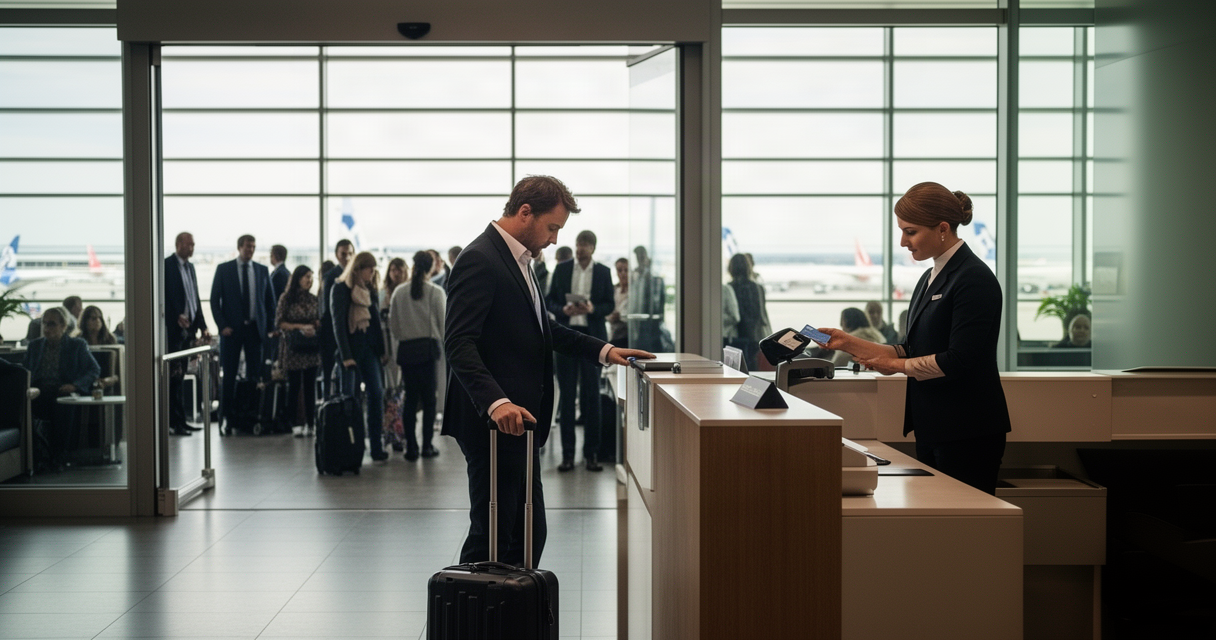
Detailed threads across airline subreddits tell a consistent, less flattering story than the marketing implies. Airlines often can’t — or won’t — act on a shared AirTag link by itself. Front-line agents work off a script, some can’t open a shared-location link on their system, and there’s frequently no one specifically tasked with walking to wherever the dot says the bag is sitting.
The pattern that actually works, per multiple firsthand accounts: showing up in person with the live tracker open on a phone and getting a human being to physically walk to that location. One traveler’s account of a 16-day recovery saga at O’Hare followed exactly that arc — the AirTag told the truth about where the bag sat the entire time, but nothing happened until a person went and looked. As one commenter summarized it on a related thread, “you still need someone from the airline willing to use it and retrieve the bag.”
There’s real progress here. Several carriers — including United, Delta, and British Airways among dozens of others in 2025 and 2026 rollouts — have integrated Apple’s “Share Item Location” feature directly into their baggage-tracing systems. That’s a genuine improvement over screenshotting a Find My link into a chat window. But it still routes through the airline’s own process and staffing. It doesn’t obligate faster action.
The honest framing: a tracker helps a traveler know where the bag actually is, and it builds a paper trail useful for a claim when the bag doesn’t show up. It does not compel the airline to move any faster than it otherwise would.
Where to Actually Hide the Tracker in Your Suitcase
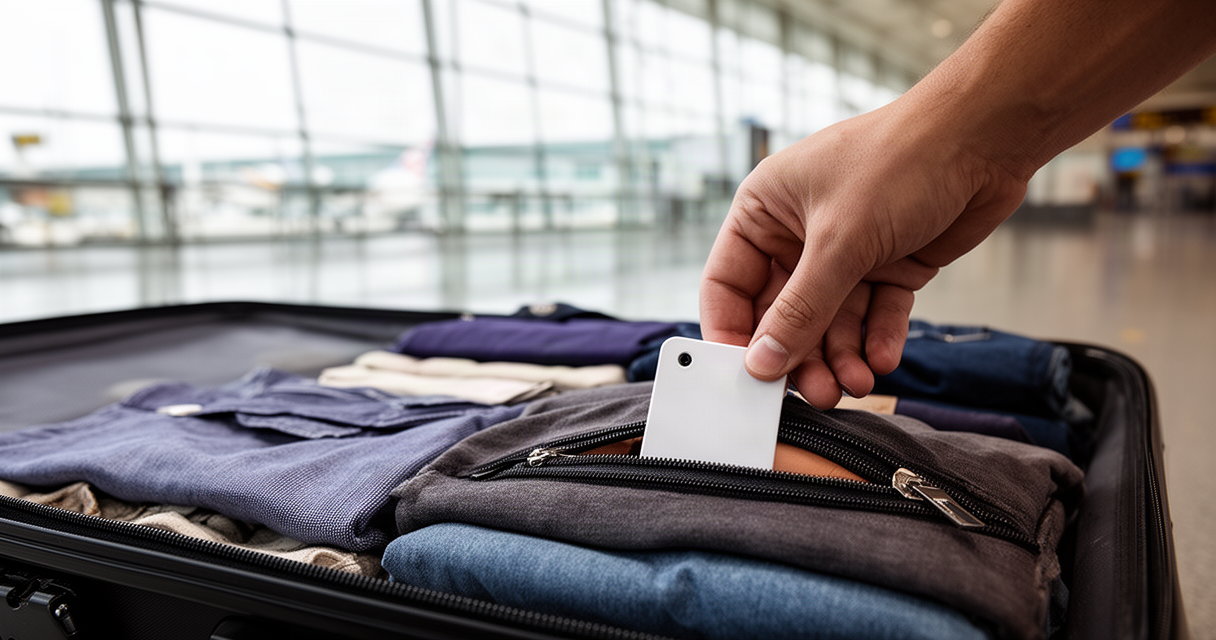
Placement matters more than most travelers assume. A tracker clipped to the external luggage tag gets torn off routinely by automated belt systems — it’s the single most common way a tracker stops reporting for reasons that have nothing to do with signal.
The better approach: tuck it inside a zippered interior pocket, buried among clothing rather than sitting loose. For anything genuinely irreplaceable — documents, jewelry, electronics — a second tracker in a different interior pocket adds redundancy if the bag gets split or one pocket is searched and disturbed.
One habit shows up repeatedly across recovery accounts as mattering more than any tracker: a paper ID card, both inside and outside the bag, regardless of what tech is also packed. When a bag gets genuinely misrouted rather than just delayed, it’s frequently a human reading a name and phone number off a card — not a blinking dot on a map — that gets it back.
Which One for Which Trip? A Decision Framework
This doesn’t need to be a case-by-case judgment call. The trip profile determines the right tool.
Domestic or major-hub itinerary, one flight or one easy connection: an AirTag or Tile is enough. Phone density along the route is high enough that location updates stay frequent, and the lack of a subscription makes it a low-friction addition to every trip.
International itinerary with multiple connections, a budget or regional carrier, or a destination with lower iPhone penetration — parts of Eastern Europe, much of Latin America, most of Asia outside Japan — justifies the extra cost of a cellular GPS tracker. The independence from nearby phones is exactly what these routes lack.
Genuinely irreplaceable or high-value contents call for a cellular tracker regardless of route, or a decision not to check the bag at all.
The phone-ecosystem mismatch deserves its own note: AirTag only works well where iPhones are common. Android users get the rough equivalent through Samsung’s SmartTag2 on the Galaxy Find network, or through Tile, which works across both ecosystems. The tracker brand should match the phone ecosystem common at the destination — not just the traveler’s own phone. Some frequent international travelers have started double-tagging bags for exactly this reason, pairing an AirTag with a Galaxy-network tag or Tile in the same suitcase, because as one traveler put it, no single network covers every country a real itinerary touches.
Our Take: The AirTag Won’t Always Save Your Bag — And That’s Fine
AirTags are genuinely useful, and worth a reported roughly $29 (confirm current pricing) for nearly every trip a traveler takes. The problem isn’t the device. It’s the gap between what it actually does and what “best luggage tracker” content implies it guarantees.
Real accounts make the limits clear without making the tool worthless. A bag flagged by an ITA Airways traveler as pinging from a warehouse in São Paulo, and the 16-day O’Hare saga described above, both show the AirTag doing exactly its job — telling the truth about where the bag sat. In both cases, the airline still didn’t retrieve the bag until a person pushed the issue directly. The tag worked. The system around it didn’t move faster because of it.
The upgrade to a cellular tracker makes sense specifically for trips where being wrong about a bag’s location would actually cost something — a multi-connection international itinerary, a remote destination, contents that matter. Not because the AirTag is defective, but because the phone network it depends on to function simply isn’t dense enough everywhere a real trip goes.
The Bottom Line on Tracking a Checked Bag
For a domestic hop or a trip through major hubs, an AirTag or Tile covers the situation completely and costs almost nothing to add. For international, multi-connection, or remote-destination trips, a cellular GPS tracker’s independence from nearby phones is worth the extra cost and the subscription.
The practical next step: match the tracker to the trip, not to whatever a listicle recommends by default. And put a paper ID card inside the bag regardless of which tracker goes in — more than one recovery story on these forums came down to a human reading a business card, not a dot on a map.
The dot on the map has never once loaded a suitcase onto a plane. That’s still someone’s job, and no $29 gadget replaces them.
FAQ
Is an AirTag actually allowed in checked luggage?
Yes. Its CR2032 battery contains a reported roughly 0.109 grams of lithium, well under the FAA’s 2-gram lithium-metal limit for devices installed and operating inside checked bags. Loose spare batteries must go in carry-on only. Confirm current guidance at TSA.gov and FAA PackSafe before flying, since rules can shift.
Does an AirTag work reliably abroad?
It depends heavily on local iPhone density. In countries where Android dominates by a wide margin — much of Latin America and parts of Eastern Europe, for example — updates can be sparse to nonexistent for stretches of the trip. In iPhone-heavy markets like Japan, it performs much closer to domestic reliability.
What’s the real difference between Bluetooth trackers and cellular GPS trackers?
Bluetooth trackers like AirTag and Tile have no cellular chip — they rely on nearby phones to relay location data. Cellular GPS trackers carry their own SIM and report independently over 4G/LTE, which makes them far less dependent on foot traffic but adds a subscription cost and shorter battery life.
Will showing the airline my AirTag’s location get my bag back faster?
Not automatically. Multiple firsthand accounts describe airline staff unable or unwilling to act on a shared link alone. What tends to work is showing up in person with the tracker open and getting an agent to physically go to the location. Some carriers have integrated Apple’s Share Item Location feature into their systems, which helps but doesn’t force faster action.
Where should the tracker go inside the suitcase?
Inside a zippered interior pocket, not clipped to the external luggage tag — external tags get torn off in automated baggage-handling belts routinely. A second tracker in a separate pocket adds backup coverage for irreplaceable items.
Do any airlines currently ban AirTags in checked bags?
No major carrier currently bans them. Lufthansa briefly restricted AirTags in checked luggage in October 2022 over concerns about undisclosed tracking, then reversed the policy within days. Policies can still change by airline and by country, so it’s worth checking the specific carrier’s current stance before an international trip.
Should Android users get something other than an AirTag?
Yes — AirTag depends on nearby iPhones, so it offers little value for a traveler carrying an Android phone with no iPhone-heavy environment around. Samsung’s SmartTag2 on the Galaxy Find network is the direct equivalent for Android, and Tile works across both ecosystems. The better question is which network is dense at the destination, not which phone the traveler personally carries.
References
- Reddit airline/travel forums — thread on AirTag reliability during Eastern Europe travel
- Reddit — thread discussing Android-to-iPhone ratio and AirTag tracking in Mexico
- Reddit r/travel — thread describing a bag showing motionless at Frankfurt Terminal 1 for two days
- Reddit airline forum — the 16-day O’Hare lost-bag recovery account
- Reddit — thread on double-tagging checked bags with AirTag plus a Galaxy-network or Tile tracker
- Reported account referencing an ITA Airways bag tracked pinging from a São Paulo warehouse — community travel forum thread
- FAA PackSafe — lithium battery guidance for checked and carry-on baggage (verify current limits at faa.gov/hazmat/packsafe)
- TSA.gov — current checked and carry-on battery and electronics policy
- Lufthansa AirTag policy reversal, October 2022 — widely reported industry coverage at the time
- StatCounter — global and regional mobile OS market share data (confirm current figures at gs.statcounter.com)