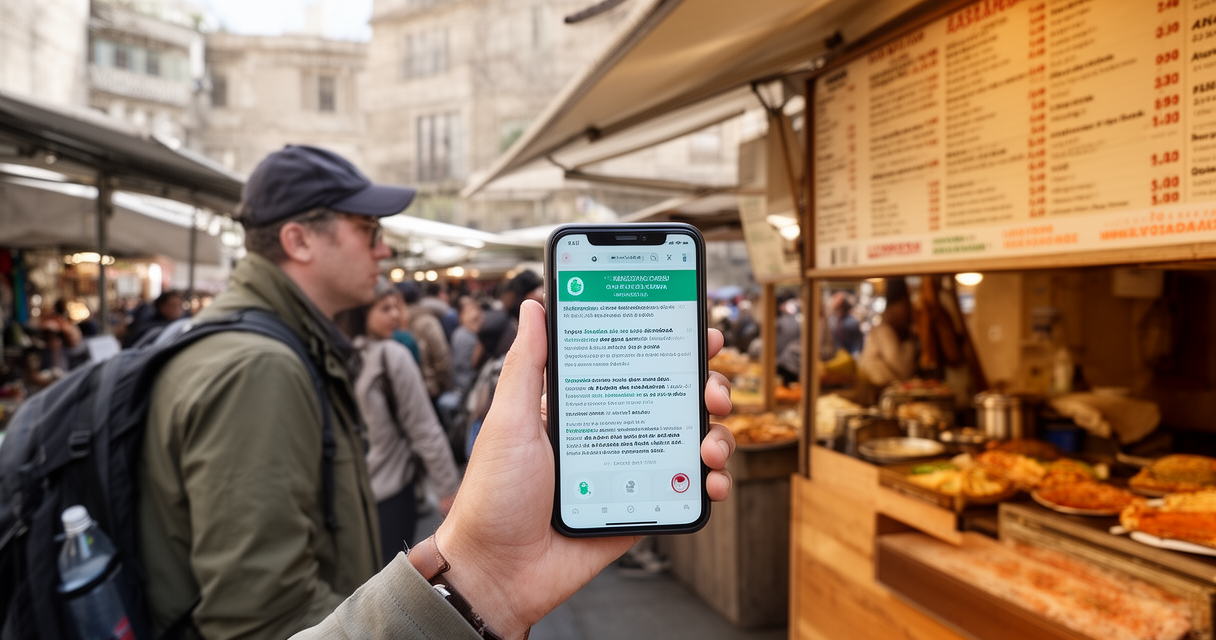
A traveler holds up a phone, points it at a menu, and gets a translation back that reads like poetry generated by a fever dream. It usually works. Sometimes it produces a sentence that means something closer to “the fish regrets nothing.” Both outcomes are part of the same technology.
The best AI translation apps for travelers have gotten good enough that skipping a phrasebook feels reasonable now. The stakes of getting it wrong range from mildly funny (a strange haircut) to genuinely serious (a missed allergy warning). Choosing the right tool for the right moment — ordering food versus asking a pharmacist about a medication — matters more than most travel guides admit.
The quick answer: Google Translate is the strongest all-around pick — free, with offline language packs and a reliable Conversation mode for back-and-forth exchanges. DeepL produces cleaner typed-text translations on the languages it supports but is weaker for live, offline, or unpredictable travel situations. ChatGPT’s advanced voice mode feels the most natural in conversation but generally requires a data connection, making it a supplement rather than a primary tool. Translation earbuds like Timekettle are a nice-to-have for frequent travelers and expats, not a must-have — the free apps already handle most of the job.
None of these tools replace learning ten phrases in the local language. They just make the other 200 phrases survivable.
Best AI Translation Apps for Travelers: The Quick Comparison at a Glance
Offline capability is not a binary switch. Most apps that claim “offline support” still need a connection for speech-to-text and text-to-speech — the offline pack usually covers typed and camera translation only. That distinction trips up more travelers than any language-pairing issue.
| App / Device | Offline Capability | Conversation Mode | Best For | Price |
|---|---|---|---|---|
| Google Translate | Text + camera offline via downloaded packs; live speech typically needs data | Yes, one-on-one | All-around default, menus/signs, casual chat | Free |
| DeepL | No offline mode | Limited live conversation support | High-quality typed text on major languages | Free tier; paid tiers for higher usage |
| Apple Translate | Text, voice, and conversation offline (iPhone) | Yes | iPhone users wanting deep system integration | Free |
| Microsoft Translator | Text offline; live conversation needs data | Yes, multi-device group mode | Group trips, splitting a conversation across phones | Free |
| ChatGPT (advanced voice mode) | Generally requires data | Yes, most natural-sounding | Natural back-and-forth when signal is available | Free tier; paid tiers for extended use |
| Timekettle earbuds | Reportedly limited without data despite offline claims | Yes, hands-free | Frequent travelers, expats, high-volume conversation | Hardware cost plus optional subscription |
Check current specs before a trip. App features and offline language coverage change with updates, and what worked on one country’s app store version does not always match another’s.
Google Translate: The Default for a Reason
Google Translate remains the default not because it is flashy but because it does the boring 90% of travel translation reliably. Downloaded language packs cover text and camera translation offline — point the camera at a menu, a train schedule, or a shampoo bottle, and it overlays a translation without needing signal. Conversation mode handles two people talking back and forth, each speaking into the phone in turn, though that mode reportedly leans on a data connection for the speech-to-text and text-to-speech steps rather than the offline pack.
That gap matters. A traveler with the Spanish pack downloaded can translate a street sign in a dead zone with zero bars. The same traveler trying to have a spoken conversation in that dead zone will find the mic button doing nothing useful. Offline mode covers reading, not talking.
Community feedback backs up the “good enough, free” reputation. One traveler on r/travel described the core use case plainly: “Works exactly as you’d hope. Great for taking photo of sign, food packaging or whatever and translating that… Both translate very well. It’s free.” Another traveler on the same subreddit summed up where the ceiling sits: “it works pretty well for functional conversations. (where is this thing? it is 2km that way) It’s pretty rough for chat, but it works well enough.”
That distinction — functional versus chat — is the whole story of AI translation. Directions, prices, and logistics translate cleanly. Actual conversation, with idiom, tone, and humor, gets rough fast.
DeepL: Better Translations, Worse Travel Experience
DeepL built its reputation on translation quality, not travel convenience, and that shows in how it performs on the road. For typed text on its supported languages — mostly European and major world languages — the output tends to read more naturally than Google Translate’s, with fewer of the stilted phrasings that give machine translation away.
The tradeoff is coverage and mode. DeepL has no offline functionality, so it is useless the moment signal drops. It also supports fewer languages overall than Google Translate, and its live conversation handling is weaker — it was built for translating documents and messages, not for standing in front of a shopkeeper doing real-time back-and-forth.
That makes DeepL a strong tool for pre-trip prep — translating a rental agreement, drafting a message to a host, checking a menu photo pasted into the app before dinner — but a weak choice as the primary in-country tool. It is a desk tool wearing a travel app’s clothing.
Apple Translate and Microsoft Translator: The Overlooked Options
Both get less attention than Google Translate, and both deserve more than they get for specific situations.
Apple Translate, built into iOS, offers text, voice, and full conversation mode with offline support — reportedly a more complete offline experience than Google Translate’s, since the offline packs cover the spoken conversation flow, not just camera and text. For an iPhone traveler who wants translation baked into the system rather than a separate app, it is a legitimate first choice, particularly in places with unreliable data.
Microsoft Translator solves a problem neither Google nor Apple addresses well: group conversations. Its multi-device group Conversation feature lets several phones join the same translated exchange, which is genuinely useful for a group trip where four people are talking to one guide, or a family navigating a negotiation together. Most competitors are built around a single phone passed back and forth.
Both are free. Neither gets recommended nearly as often as Google Translate, mostly because Google got there first and became the reflexive answer. That reflex is not always the right one.
Can ChatGPT Voice Replace a Dedicated Translation App?
ChatGPT’s advanced voice mode is, by a wide margin, the most natural-sounding of any option here. It handles tone, follows a conversational thread, and does not have the clipped, phrase-by-phrase feel of a dedicated translation app. Asking it to translate a conversation feels closer to talking through a bilingual friend than operating a tool.
It is not built for the job, though. There is no dedicated split-screen conversation UI, no offline mode to speak of, and it generally needs a working data connection to function at all. Using it as a translator means asking a general-purpose assistant to improvise a role that Google Translate and Apple Translate were purpose-built for.
The honest framing: ChatGPT Voice is a strong supplement when signal is solid and the conversation calls for more nuance — negotiating, explaining a complicated situation, catching sarcasm. It is a poor primary tool for a traveler who cannot guarantee data access, which describes most travelers most of the time. Pairing it with an eSIM for reliable mobile data closes that gap, but that is an added dependency a free offline app does not require.
Are AI Translation Earbuds (Like Timekettle) Worth It?
The pitch is appealing: skip the phone-passing dance, wear earbuds, and have a translated conversation flow hands-free and face-to-face. Timekettle is the best-known name in this space, and the hardware experience — when it works — genuinely improves on holding a phone between two people.
The reality reported by users is messier. One Timekettle owner on r/samsung described a core flaw bluntly: “The Timekettle WT2 Edge is flawed in that it apparently does NOT function without a data/LTE connection. It IS supposed to, but the software is garbage.” That undercuts the entire hands-free, go-anywhere pitch — a traveler still needs the same data connection a free phone app would require, just routed through a $100-plus piece of hardware.
Pacing is the other recurring complaint. A fluent Korean speaker recounted the experience on r/koreatravel: “It almost felt like the old time Walkie-Talkie conversation, except no one was saying ‘over.’ So slow and deliberate.” That is not a small friction. Natural conversation rhythm — interruptions, overlaps, quick reactions — is exactly what earbuds promise to preserve and exactly what the turn-taking latency breaks.
Not every account is negative. An owner on r/WirelessEarbuds who used a competing pair reported real value in specific conditions: “Offline translation is a lifesaver with my limited data… Not perfect, still needs a clear voice in loud places. But for actually talking to people here, it’s been totally worth it.” That review points at the actual use case where earbuds earn their price: frequent travelers or expats having many daily conversations, not someone making occasional small talk on a two-week vacation.
Verdict: earbuds are worth it for people who translate conversations often enough that hands-free matters — long-term travelers, expats, business travelers doing repeat trips to the same country. For everyone else, a free app plus an eSIM for reliable mobile data covers the same ground for less money and one fewer thing to charge and lose.
Our Take: Which App Actually Wins Where
No single app wins every scenario, and treating this as a single winner-take-all comparison misrepresents how travelers actually use these tools. The pick depends on the moment.
- Live back-and-forth conversation: Google Translate’s Conversation mode is the most tested and widely reported option, with the broadest language coverage.
- Zero connectivity, camera and text only: Google Translate’s offline packs, or Apple Translate’s fuller offline mode for iPhone users.
- Typed-text quality when signal is available: DeepL, on its supported languages.
- Group conversations, multiple travelers, one guide: Microsoft Translator’s multi-device Conversation feature.
- Natural, nuanced conversation with solid signal: ChatGPT’s advanced voice mode.
- Hands-free, high-volume conversation for frequent travelers: Timekettle or similar earbuds, paired with an eSIM for reliable mobile data to avoid the offline-mode failures users report.
The pattern across every category: connectivity is the real constraint, not the AI. Every tool on this list performs better with data than without it. That is the detail travel-tech marketing tends to bury.
What the Best AI Translation Apps for Travelers Are Still Bad At (Learn a Few Phrases Anyway)
Loud environments break voice translation reliably. Background noise, overlapping speakers, and heavy accents all degrade speech-to-text accuracy, and every app on this list inherits that weakness because they all depend on the same underlying speech models.
Slang, dialect, and casual register are the next failure point. Formal, textbook phrasing translates cleanly. A joke, a regional idiom, or fast colloquial speech often does not, and the app has no way to signal that it is guessing. One traveler on r/travel captured the language-pair variance well: “Using only a few words will be better than several sentences, and depending on the language, some will be better than others (like French or Spanish will likely be much more robust than Ndebele or Shona).” Coverage and training data are not evenly distributed across the world’s languages, and no app markets that limitation clearly.
Passing a phone back and forth is awkward in a way no interface design fixes. It interrupts eye contact, slows the exchange, and turns a conversation into a series of handoffs. A traveler on r/koreatravel who speaks fluent Korean made the sharper point: “You’d be surprised how much of human communication is non-verbal… Body Language and Gestures really go a long way.” A translation app captures words. It does not capture the shrug, the pause, or the smile that often carries more meaning than the sentence itself.
The stakes get real fast in specific situations. A traveler on r/travel described a haircut in Ukraine handled entirely through Google Translate: “It went as well as you can expect (it was really bad).” Funny in hindsight, low stakes. Higher stakes: a traveler recounted a friend with a hazelnut allergy trying to confirm whether a chocolate crepe contained Nutella after it “tasted funny” — the exchange was difficult through translation alone until an English speaker stepped in to clarify. That is the moment where relying entirely on an app, instead of finding a human who speaks the language, becomes a genuine risk rather than an inconvenience.
None of this is an argument against using these tools. It is an argument for treating them as logistics assistants — menus, directions, prices, basic requests — rather than a substitute for the kind of real communication that makes travel memorable. The best travel stories rarely come from a flawless AI exchange. They come from the moment someone tries, badly, to say something in a language they don’t speak, and a stranger meets that effort halfway.
Building Your AI Travel Stack
Translation is one piece of a larger AI toolkit most travelers now assemble before a trip. Reliable connectivity underpins nearly everything on this list — an eSIM for reliable mobile data keeps live translation, maps, and messaging functional without hunting for wifi or paying roaming fees. Beyond translation, AI itinerary planning tools can rough out a daily schedule worth sanity-checking against local knowledge, and AI budget planning tools for your trip help track spend across currencies without a spreadsheet. Rounding out the stack, other AI tools worth packing for your trip cover everything from packing lists to expense logging.
None of these tools plan the trip. They handle the logistics so more energy goes toward the parts of travel an app cannot do — ordering the weird thing on the menu, asking a local for a recommendation, having the awkward, wonderful conversation that no algorithm translates perfectly.
Frequently Asked Questions
What’s the best AI translation app for back-and-forth conversation?
Google Translate’s Conversation mode is the most widely used and reported-on option for live, spoken exchanges, with broad language coverage and a proven track record among travelers. Apple Translate is a strong alternative for iPhone users, particularly where offline reliability matters more than raw language breadth.
What’s the best option with no wifi or data?
Google Translate’s downloaded offline packs cover text and camera translation without a connection. Apple Translate reportedly extends offline support further, covering voice and conversation modes as well — worth checking current specs for iPhone travelers before departure, since offline capability has expanded over recent updates.
Can ChatGPT Voice replace a dedicated translation app?
Not as a primary tool. It produces the most natural-sounding conversational translation of any option here, but it generally requires a data connection and lacks the dedicated conversation interface that Google Translate, Apple Translate, and Microsoft Translator were built around. It works best as a supplement when signal is reliable.
Are AI translation earbuds worth it over a free app?
Only for travelers having frequent, high-volume conversations — expats, long-term travelers, repeat business trips. Users report earbuds still often need a data connection despite offline claims, and conversation pacing can feel noticeably slower than natural speech. Occasional travelers get most of the same functionality free through Google Translate or Apple Translate.
What are AI translation apps still bad at?
Noisy environments, slang and dialect, and any high-stakes situation requiring precision — medical needs, allergies, legal matters. They also lack the non-verbal communication that carries a large share of meaning in any conversation. Learning a handful of local phrases and knowing when to find a human translator still matters.
The Real Skill Is Knowing When to Put the Phone Down
Google Translate remains the strongest all-around pick for travelers — free, reliable, and covering the widest range of situations with its offline packs and Conversation mode. DeepL, Apple Translate, and Microsoft Translator each win specific scenarios: typed-text quality, iPhone integration, and group conversations, respectively. ChatGPT Voice and translation earbuds add real value for travelers with reliable data and frequent conversation needs, but neither replaces the free defaults for most trips.
Before departure, download the relevant offline language pack, confirm an eSIM or local SIM is sorted for the moments that need live speech, and learn ten phrases that have nothing to do with logistics — thank you, that was delicious, sorry, can you say that again. The app handles the menu. The ten phrases handle the actual human being standing across the counter.
References
- r/travel — thread on Google Translate camera/photo translation for signs and food packaging.
- r/travel — thread on Google Translate performance for functional questions vs. casual chat.
- r/travel — thread recounting a Google Translate-assisted haircut experience in Ukraine.
- r/travel — thread describing a hazelnut-allergy incident with a chocolate crepe and translation difficulty.
- r/travel — thread on language-pair translation quality variance (French/Spanish vs. Ndebele/Shona).
- r/samsung — thread on Timekettle WT2 Edge offline functionality issues.
- r/koreatravel — thread from a fluent Korean speaker on translation earbud conversation pacing.
- r/koreatravel — thread on the role of non-verbal communication while traveling.
- r/WirelessEarbuds — thread from a translation earbud owner on offline reliability and real-world use.
- Taia — AI translation app comparison (taia.io).
- x-doc.ai — AI translation tool comparison (x-doc.ai).
App specs and pricing above are as of 2026 and marked “reported” where not officially confirmed — verify current offline language coverage and pricing before a trip.